 Rotating servo
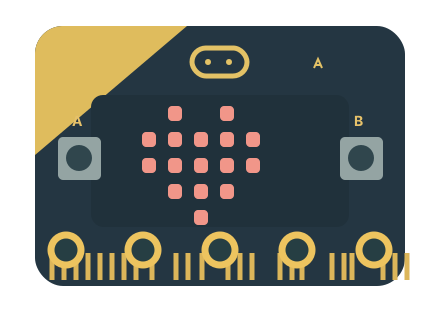
A beating heart
Put a heart icon, a pause, and a small heart inside forever. Make your own rhythm.
Basic + Loops MABNI. Offline lab
TINY BOARD. BIG IDEAS.
Give your micro:bit a heartbeat, turn a button into a game, or invent something of your own.
Open MakeCodeThe real Microsoft MakeCode editor.
Blocks, JavaScript, Python, and the simulator—all here.
 Your idea starts with a block.
TRY YOUR FIRST INVENTION
Put a heart icon, a pause, and a small heart inside forever. Make your own rhythm.
Basic + LoopsWhen the board is shaken, show a random number from 1 to 6. Try it in the simulator.
Input + MathMake button A show your secret symbol. Make button B clear it. Send a message to a friend.
Input + LEDTAKE YOUR CODE OFF THE SCREEN
You can always download a HEX file.
Connection & offline helpConnect your micro:bit with a USB data cable.
In MakeCode, choose Download. Pair the board when your browser offers it.
Or choose Download as File, then copy the HEX file to the MICROBIT drive.